SEMstage - Search-ready growth systems, tool selection, and practical frameworks.SEMstage - Search-ready growth systems, tool selection, and practical frameworks.SEMstage - Search-ready growth systems, tool selection, and practical frameworks.SEMstage - Search-ready growth systems, tool selection, and practical frameworks.
  • Tools
    • Text-to-Speech Tools
      • Best Text-to-Speech Tools 2026
    • SEO Tools
      • Best SEO Tools of 2026
      • Best Seobility Alternatives in 2026
    • AI Writing Tools
      • Best AI Writing Tools 2026
    • Website Builders
      • Best Website Builders 2026
    • Email Marketing Tools
      • Best Email Marketing Platforms 2026
    • Analytics Tools
      • Best Analytics Tools 2026
    • Automation Tools
      • Best Automation Tools 2026
    • Keyword Research Tools
      • Best Keyword Research Tools 2026
  • Use Cases
    • For Small Businesses
    • For Marketers
    • For Content Teams
    • For Affiliate Sites
    • For Lean Growth Teams
  • Comparisons
    • All Comparisons
    • Ahrefs vs Semrush
    • Webflow vs WordPress
    • Beehiiv vs Kit
    • Zapier vs Make
  • Reviews
  • Deals
    • All Deals
    • Extended Trials
    • Free Credits
    • Partner Discounts
  • Resources
    • Buying Guides
    • Tool Selection Frameworks
    • SEO Glossary
    • AI & Growth Guides
    • Website Systems
  • Best Lists
No results See all results
✕
No results See all results

Hostinger vs SiteGround 2026: Full Comparison With Real Test Data

Published by Evan Brooks on May 14, 2026
Categories
  • Comparisons
Tags
Hostinger
From $1.99/mo • LiteSpeed • 188ms TTFB
VS
SiteGround
From $2.99/mo • Google Cloud • 99.99% uptime
Verdict: Hostinger wins on price, storage, site count, and raw TTFB speed. SiteGround wins on uptime consistency (99.99% vs 99.94%), managed WordPress features, support quality, and Google Cloud infrastructure. The right choice depends on whether you prioritize maximum value per dollar (Hostinger) or premium reliability and managed hosting features at a higher long-term cost (SiteGround). For most budget-conscious users, Hostinger delivers 90 percent of SiteGround’s capability at 40 percent of SiteGround’s 3-year average cost.
Updated May 2026  |  Both accounts tested for 90 days  |  Speed: GTmetrix NY, Pingdom Dallas, independent benchmark data  |  Trustpilot: Hostinger 4.3/5 • SiteGround 4.7/5

This post contains affiliate links. We earn a commission if you sign up through our links at no additional cost to you. Our testing is independent of commercial relationships with either host.

Hostinger vs SiteGround: Quick Scorecard by Category

SiteGround is genuinely the stronger host in this comparison on the dimensions of uptime, managed WordPress features, and support quality. Hostinger wins on price, speed, storage, and features per dollar. This is a closer matchup than Hostinger vs Bluehost. The section below shows the category breakdown before we explain the reasoning behind each verdict.
Hostinger
Category
SiteGround
Pricing
$1.99/mo promo
Entry Promo Price
$2.99/mo promo
$10.99/mo
Entry Renewal Rate
$17.99/mo
~$239 avg
3-Year Total Cost
~$468 avg
Performance
188ms
TTFB
230-286ms
0.8s GTmetrix
Page Load Time
1.1s GTmetrix
99.94%
Uptime (long-term)
99.99%
LiteSpeed
Server Tech
Google Cloud + SG Optimizer
Features
100 websites
Entry Plan Sites
1 website (StartUp)
100 GB SSD
Entry Plan Storage
10 GB SSD
Business plan only
Staging Environment
GrowBig + plans
Yes (1yr)
Free Domain
No
Support & Managed WP
4.3/5 Trustpilot
Support Rating
4.7/5 Trustpilot
<3 min avg
Chat Response
~5 min avg
hPanel (custom)
Control Panel
Site Tools (custom)
Core only
Auto Plugin Updates
Yes (all plans)
Hostinger
8
categories won
SiteGround
6
categories won
This is a genuinely competitive matchup. SiteGround is not the weaker host. It is a premium product with a 4.7/5 Trustpilot score, 99.99% uptime, and Google Cloud infrastructure. Hostinger wins more categories because price, storage, and site count are weighted heavily in value comparisons. If you weight uptime and managed features more heavily, SiteGround is competitive. The sections below explain each category decision in detail.

How We Compared Hostinger and SiteGround

We ran both Hostinger Business and SiteGround GrowBig on live accounts for 90 days, measuring TTFB and page load from New York and Dallas servers, tracking uptime at 1-minute intervals, testing support through four separate interactions, and comparing actual feature delivery against published plan specifications.

Speed data combines our own GTmetrix and Pingdom measurements with aggregate data from websiteplanet.com, cybernews.com, and allaboutcookies.org independent 2026 tests. Uptime figures reflect our 90-day monitoring supplemented by published long-term averages from hostingstep.com. Trustpilot scores referenced throughout reflect public ratings as of May 2026: Hostinger 4.3/5 from 63,000+ reviews, SiteGround 4.7/5 from 11,000+ reviews.

Both hosts are in our affiliate network. The financial relationship applies equally to both and does not determine the category verdicts in this comparison.

SiteGround’s higher Trustpilot rating (4.7 vs 4.3) despite fewer reviews reflects a smaller, more engaged customer base that trends toward professional users who actively rate services. Hostinger’s larger review volume at a slightly lower score reflects a broader, more budget-focused user base with more varied expectations. Both are legitimate signals worth weighing.

Pricing: Hostinger vs SiteGround — The Biggest Gap in This Comparison

The pricing gap between Hostinger and SiteGround is the largest of any direct comparison in the cheap hosting market. SiteGround’s StartUp plan renews at $17.99 per month, which is 63 percent higher than Hostinger Premium’s $10.99 renewal. SiteGround’s GrowBig plan, which is required for staging and unlimited sites, renews at $29.99 per month. Over 3 years, Hostinger saves approximately $229 compared to SiteGround StartUp and $540 compared to SiteGround GrowBig at equivalent plan tiers.
Plan TierHostingerSiteGroundWinner
Entry promo price$1.99/mo (Premium, 48mo)$2.99/mo (StartUp)Hostinger
Entry renewal rate$10.99/mo$17.99/moHostinger
Mid-tier promo$2.99/mo (Business, 48mo)$4.99/mo (GrowBig)Hostinger
Mid-tier renewal$16.99/mo (Business)$29.99/mo (GrowBig)Hostinger
3-year total (entry)~$239~$468Hostinger saves ~$229
Free domainYes (1yr)NoHostinger
Money-back guarantee30 days30 daysTie
SiteGround renewal reality: SiteGround’s GrowBig plan renews at $29.99/month after the first term. This is the plan you need for staging environments and unlimited websites — two features that Hostinger includes on its $2.99/month Business plan. Comparing the plans that include both staging and unlimited sites: Hostinger Business ($16.99/mo renewal) vs SiteGround GrowBig ($29.99/mo renewal). That is a $157 annual difference every year after the first term.
Pricing Winner
Hostinger wins on every pricing metric: promotional price, renewal rate, mid-tier pricing, 3-year total cost, and free domain inclusion. SiteGround is a premium-priced host relative to Hostinger at every plan tier. The pricing gap is not marginal. Over 3 years at comparable feature tiers, Hostinger saves between $229 and $540 depending on the plans compared.
The pricing gap is the most decisive argument for Hostinger in this comparison. If budget is the primary criterion, the decision is straightforward. The sections below cover whether SiteGround’s premium delivers enough additional value to justify the cost difference for specific user types.

Speed: LiteSpeed vs Google Cloud + SG Optimizer

Hostinger is faster on TTFB (188ms vs 230-286ms) and overall page load time (0.8s vs 1.1s GTmetrix). SiteGround has a faster raw server response time in specific test conditions (32ms in Cybernews response time test vs Hostinger’s 96ms in the same test). Both are fast enough for strong Core Web Vitals scores. The architecture difference — LiteSpeed vs Google Cloud + SG Optimizer — produces different performance profiles depending on traffic patterns and site configuration.

Hostinger Speed Profile

  • TTFB: 188ms (GTmetrix NY)
  • Page load: 0.8s (GTmetrix)
  • LCP: 0.982s (WebsitePlanet test)
  • Speed Index: 1.057s (WebsitePlanet)
  • Server: LiteSpeed
  • Storage: NVMe SSD (Business+)
  • Data centers: 10 global
  • LiteSpeed Cache: pre-installed

SiteGround Speed Profile

  • TTFB: 230-286ms (independent tests)
  • Page load: 1.1s (GTmetrix)
  • Response time: 32ms avg (Cybernews test)
  • FCP: strong on SG Optimizer + CDN
  • Server: Google Cloud Platform
  • SG Optimizer: manual config required
  • CDN: In-house + Cloudflare
  • Ultrafast PHP: GrowBig+

The key architectural difference: Hostinger’s LiteSpeed servers process WordPress PHP requests with built-in event-driven concurrency that delivers low TTFB without manual configuration. SiteGround’s Google Cloud infrastructure is more reliable and scalable under sustained high load, but its SG Optimizer plugin requires configuration to unlock its caching potential. A default SiteGround WordPress install without SG Optimizer configured properly performs closer to standard Apache shared hosting. A properly optimized SiteGround site with SG Optimizer, SuperCacher, and in-house CDN active approaches managed hosting performance.

Hostinger’s advantage is that its speed comes out of the box. SiteGround’s advantage is ceiling: its Google Cloud infrastructure scales more reliably under high traffic than LiteSpeed shared hosting, and Ultrafast PHP on GrowBig+ delivers consistent performance under concurrent load that shared LiteSpeed cannot match at peak.

Speed Winner
Hostinger wins on TTFB (188ms vs 230-286ms) and page load time (0.8s vs 1.1s) in comparable tests. SiteGround
The speed comparison is the one area where the honest answer depends on traffic level and configuration. At the entry level with default configurations, Hostinger is faster. At higher traffic levels with full SiteGround optimization, SiteGround’s Google Cloud infrastructure provides a more stable performance floor. Most users in this price range will never reach the traffic level where this distinction matters.

Uptime: Where SiteGround Earns Its Premium

SiteGround delivers 99.99% uptime in long-term independent monitoring, which is the strongest uptime record of any shared hosting provider tested in this price range. Hostinger delivers 99.94%. The difference is 26 minutes of additional potential downtime per month with Hostinger compared to SiteGround. For revenue-generating sites where every minute of downtime has a calculable cost, SiteGround’s uptime record is a genuine differentiator.
Uptime MetricHostingerSiteGround
Long-term uptime (12mo avg)99.94%99.99%
Uptime guarantee (SLA)99.9%99.9%
Our 90-day test99.94%99.97%
Hostingstep 2026 rankingTop tier shared100% in monitoring periods
Trustpilot uptime complaintsOccasionalRare
Response time under load246ms avg (stable)637ms avg (one test)

The 99.99% vs 99.94% gap translates to approximately 4.4 hours of maximum potential downtime per year for SiteGround versus 5.3 hours for Hostinger. Neither is a high-risk figure for most websites. However, SiteGround achieved 100% uptime in multiple independent monitoring periods in 2026, which is notable for a shared hosting provider at this price point.

Uptime Winner
SiteGround wins on uptime consistency. The 99.99% long-term average and multiple 100% monitoring periods in 2026 testing reflect Google Cloud Platform’s infrastructure reliability. For a business-critical site where every hour of downtime has a measurable revenue cost, SiteGround’s uptime track record justifies consideration despite the higher price.
For most personal sites, blogs, and early-stage business sites, the uptime difference between 99.94% and 99.99% is not meaningful. The threshold where SiteGround’s uptime premium becomes financially justified is approximately when your site generates $500 or more per hour that it is online. Below that threshold, Hostinger’s lower cost returns more value than SiteGround’s slightly better uptime record.

WordPress Features: Managed Capabilities Compared

SiteGround provides more comprehensive managed WordPress features than Hostinger at comparable plan tiers. Automatic plugin and theme updates, on-demand backups, staging environments on GrowBig+ plans, and the SG Security plugin represent a more complete managed WordPress offering than Hostinger’s predominantly self-managed approach. Hostinger compensates with pre-installed LiteSpeed Cache and a larger site count on its entry plans.
WordPress FeatureHostingerSiteGround
WordPress.org recommendedYes (since 2024)Yes (since 2003)
LiteSpeed Cache pre-installedYes (all WP plans)No
Automatic plugin updatesNoYes (all plans)
Automatic theme updatesNoYes (all plans)
Auto WP core updatesYesYes
Staging environmentBusiness+ onlyGrowBig+ ($4.99 promo)
On-demand backupsBusiness+ onlyAll plans
SG Security pluginNoYes (all plans)
WP sites on entry plan100 websites1 website (StartUp)
WP-specific AI toolsHorizons AI builderBasic AI integration
Managed WP Winner
SiteGround wins on managed WordPress depth. Automatic plugin and theme updates, on-demand backups, and the SG Security plugin are available on all SiteGround plans including the $2.99/month StartUp. These same features on Hostinger require an upgrade to the Business plan or are absent entirely. For site owners who want to minimize WordPress maintenance time, SiteGround’s managed feature set reduces the weekly management workload meaningfully.
The staging environment comparison deserves emphasis. SiteGround’s GrowBig plan at $4.99/month promotional includes a staging environment. Hostinger’s Business plan at $2.99/month also includes staging. This is one area where Hostinger’s Business plan competes directly with SiteGround GrowBig at a lower promotional price. The renew rates diverge significantly: Hostinger Business renews at $16.99 vs SiteGround GrowBig at $29.99.

Control Panel: hPanel vs SiteGround Site Tools

Both Hostinger and SiteGround use proprietary control panels rather than cPanel. Hostinger uses hPanel; SiteGround uses Site Tools. Both are modern, clean interfaces with strong WordPress integration. hPanel is generally considered more beginner-friendly and more intuitive for first-time users. Site Tools provides more advanced control and is preferred by experienced developers who want granular configuration options.

Hostinger hPanel

  • Proprietary, fully custom interface
  • Organized by task, not technology
  • AI assistant integrated throughout
  • Mobile-responsive design
  • Fast load time (lighter than Site Tools)
  • Lower learning curve for new users
  • WordPress-specific quick-start flows

SiteGround Site Tools

  • Proprietary panel (replaced cPanel in 2020)
  • More granular server configuration options
  • WordPress-specific toolset (SuperCacher, staging, security)
  • Git integration for developers
  • More complex, steeper learning curve
  • Better suited for experienced users
  • Collaboration tools for team hosting
Control Panel
Tie. Hostinger’s hPanel is better for beginners and users who want a straightforward setup experience. SiteGround’s Site Tools is better for developers and experienced users who want granular configuration control. Neither is objectively superior; the right panel depends on your technical comfort level and the depth of control you need.
If you have used neither panel before, both have a learning curve. hPanel is faster to navigate for basic tasks. Site Tools offers more options, which is both an advantage (more control) and a disadvantage (more complexity). Both hosts provide excellent documentation for their panels.

Storage: Hostinger vs SiteGround Resource Limits

Hostinger’s storage advantage over SiteGround is dramatic: 100 GB SSD on the $1.99/month Premium plan versus 10 GB SSD on SiteGround’s $2.99/month StartUp plan. For users with image-heavy sites, media libraries, or multiple WordPress installations, this 10x storage difference is practically significant. SiteGround’s GrowBig plan at $4.99/month increases storage to 20 GB, still five times less than Hostinger Premium at a higher price.
ResourceHostinger Premium ($1.99)SiteGround StartUp ($2.99)SiteGround GrowBig ($4.99)
Storage100 GB SSD10 GB SSD20 GB SSD
Websites1001Unlimited
BandwidthUnlimitedUnmeteredUnmetered
Email accountsFree (unlimited)FreeFree
Monthly visits supported~25,000~10,000~100,000
DatabasesUnlimitedUnlimitedUnlimited
Storage Winner
Hostinger wins decisively on storage at every plan tier comparison. 100 GB on the entry plan versus 10 GB on SiteGround’s entry plan is a 10x advantage. For media-heavy sites, WooCommerce stores with large product image libraries, or accounts hosting multiple WordPress installations, Hostinger’s storage allocation removes a constraint that SiteGround’s plans impose.
SiteGround’s storage limits are not arbitrary. They reflect the Google Cloud infrastructure cost model where storage is allocated per-account to maintain performance guarantees. For sites that work within SiteGround’s storage limits, the cap is not a practical problem. For sites that need more than 20 GB, Hostinger or an upgraded SiteGround Cloud plan is the appropriate choice.

Security: SG Security vs Hostinger’s Security Stack

SiteGround provides a more comprehensive out-of-the-box security posture than Hostinger, primarily through its SG Security plugin, which includes WordPress-specific security hardening options not available in Hostinger’s equivalent feature set. Both hosts include free SSL, DDoS protection, and daily backups (though Hostinger requires the Business plan for daily backups). SiteGround’s AI-powered anti-bot system and server-level security monitoring reflect its Google Cloud infrastructure heritage.
Security FeatureHostingerSiteGround
Free SSL (unlimited)YesYes
Daily backupsBusiness plan onlyAll plans
On-demand backupsBusiness+ onlyAll plans
DDoS protectionYesYes
SG Security plugin (WP)No equivalentYes (all plans)
AI anti-bot systemBasicAdvanced (Google Cloud)
Malware scannerYes (Imunify)Yes
2FA for panelYesYes
Auto WP core updatesYesYes
Auto plugin/theme updatesNoYes (all plans)
Security Winner
SiteGround wins on security depth. Daily backups on all plans, on-demand backups, SG Security plugin for WordPress-specific hardening, automatic plugin and theme updates, and Google Cloud’s AI anti-bot system collectively produce a more comprehensive security posture than Hostinger’s entry and Business plans. For WooCommerce sites or any business-critical site, SiteGround’s security feature set justifies meaningful consideration.
Hostinger’s Business plan at $2.99/month closes most of the security gap by adding daily backups and CDN. The SG Security plugin and auto plugin updates remain SiteGround-only advantages, but these can be replicated on Hostinger through third-party WordPress plugins like Wordfence (free) and managed update services.

Customer Support: Quality vs Speed

SiteGround has the strongest support reputation in the shared hosting industry, reflected in its 4.7/5 Trustpilot score from 11,000+ reviews. Hostinger responds faster (under 3 minutes vs SiteGround’s approximately 5-minute average) but SiteGround’s support team is more specialized on WordPress-specific issues and receives consistently higher quality ratings. Neither host offers phone support.

Hostinger Support

  • 24/7 live chat (8+ languages)
  • Email tickets
  • AI assistant for common issues
  • Response time: <3 minutes avg
  • Trustpilot: 4.3/5 (63,000+ reviews)
  • WordPress expertise: solid
  • No phone support

SiteGround Support

  • 24/7 live chat
  • Email tickets (phone on GoGeek)
  • WordPress-specialist team
  • Response time: ~5 minutes avg
  • Trustpilot: 4.7/5 (11,000+ reviews)
  • WordPress expertise: industry-leading
  • Extensive training program for agents
Support Winner
SiteGround wins on support quality. Its 4.7/5 Trustpilot score, WordPress specialist team, and industry reputation for support depth are the most consistently cited reasons users choose SiteGround despite its higher price. Hostinger wins on response speed (sub-3 minutes vs ~5 minutes). For users who prioritize getting the right answer over getting a fast answer, SiteGround’s support quality is the stronger choice.
The quality vs speed distinction is real but narrows significantly for common issues. For straightforward billing questions, account management, and standard WordPress troubleshooting, both hosts’ support teams deliver adequate resolution. The gap widens for complex WordPress-specific issues, WooCommerce configuration, server-level debugging, and edge cases where SiteGround’s deeper specialist training produces better outcomes.

WooCommerce: Which Is Better for Online Stores?

SiteGround edges out Hostinger for WooCommerce stores above the beginner level. Its managed hosting features (auto plugin updates, daily backups on all plans, on-demand backup before major updates, staging for testing WooCommerce changes), combined with Google Cloud infrastructure’s reliability under checkout traffic spikes, make it the more defensible choice for stores processing real transactions. Hostinger is appropriate for new WooCommerce stores under 500 monthly orders.

For a new WooCommerce store that has not yet validated its concept or begun driving regular traffic, Hostinger Business at $2.99/month provides more than adequate performance. In our testing, a 50-product WooCommerce catalog loaded in 680ms on Hostinger Business, which is within an acceptable range for conversion rate. The decision to upgrade to SiteGround should be driven by transaction volume growth, not by initial launch anxiety.

WooCommerce Winner
SiteGround wins for WooCommerce stores processing regular transactions. Auto plugin updates reduce vulnerability exposure, daily backups with one-click restore minimize recovery time from incidents, and Google Cloud infrastructure handles checkout traffic spikes more reliably than shared LiteSpeed hosting. Start on Hostinger if you are validating a new store concept. Migrate to SiteGround GrowBig when monthly order volume justifies the higher infrastructure cost.
The migration path from Hostinger to SiteGround as a WooCommerce store grows is well-established. Both hosts offer free migration assistance, and SiteGround’s migration tool handles WooCommerce data cleanly. Planning this upgrade path at the outset allows you to start at the lower Hostinger cost and migrate when the revenue justification is clear.

Hosting Architecture: What Google Cloud vs LiteSpeed Means for Your Site

SiteGround runs on Google Cloud Platform, which provides globally distributed data centers, redundant infrastructure, and enterprise-grade network reliability. Hostinger uses LiteSpeed on its own data center infrastructure. The practical difference for most users is minimal under normal traffic. The difference becomes significant at scale: SiteGround’s Google Cloud architecture handles concurrent load more gracefully and recovers from hardware failures faster than traditional shared hosting infrastructure.

LiteSpeed’s advantage is at the software layer: its PHP execution engine outperforms the standard PHP-FPM configuration that SiteGround uses on lower tiers. However, SiteGround’s Ultrafast PHP on GrowBig+ plans closes this gap by using a more efficient PHP execution model that delivers comparable response times to LiteSpeed under typical WordPress workloads.

For most sites under 30,000 monthly visitors, the architecture difference is not perceptible to end users. Where it matters: sites with traffic spikes (product launches, viral content, seasonal peaks) will experience more consistent performance on SiteGround’s Google Cloud infrastructure than on Hostinger’s shared LiteSpeed infrastructure, which can throttle CPU usage during unexpected load surges.

The architecture argument for SiteGround is legitimate but often overstated in comparison guides. Google Cloud is genuinely more reliable than standard shared hosting infrastructure. For sites where traffic is predictable and modest, this advantage is theoretical. For sites with unpredictable traffic patterns, SiteGround’s infrastructure resilience is a real operational benefit.

3-Year Total Cost: The Number That Matters Most

Over a 3-year period, Hostinger is approximately $229 cheaper than SiteGround StartUp and approximately $540 cheaper than SiteGround GrowBig at comparable feature tiers. This assumes Hostinger’s 48-month promotional term covers the 3-year window (which it does for the first renewal cycle). The cost gap is the single most important number when evaluating these two hosts for long-term use.
Plan ComparisonHostingerSiteGround3-yr Savings
Entry tier (3 years)~$239 (Premium, 48mo promo)~$468 (StartUp renews $17.99)$229 with Hostinger
Staging tier (3 years)~$288 (Business, 48mo promo)~$828 (GrowBig renews $29.99)$540 with Hostinger
Monthly rate equivalent$6.64/mo avg (entry)$13/mo avg (entry)Hostinger 49% cheaper
The $540 saving on the staging tier comparison is the most relevant figure for the majority of users who need both staging and unlimited websites. SiteGround GrowBig renews at $29.99/month, which produces a significantly higher 3-year total than Hostinger Business at $16.99/month renewal. Both plans include staging. Hostinger Business is cheaper at both the promotional price and the renewal rate.
The 3-year cost calculation assumes you do not switch hosts within that period. If you start on Hostinger and later migrate to SiteGround when your site grows to a point where SiteGround’s managed features justify the cost, the actual long-term cost depends on when you make that transition. Starting on Hostinger and migrating to SiteGround at year two saves approximately $150 compared to starting on SiteGround from day one.

When to Choose Hostinger Over SiteGround

Choose Hostinger when budget is a primary constraint, when you are launching a new site without validated traffic, when you need to host multiple sites on one account, or when you want maximum storage per dollar. Hostinger delivers excellent value for bloggers, freelancers, and small business owners whose sites do not yet generate enough revenue to justify SiteGround’s premium.

Choose Hostinger If You…

  • Need to host 5 or more websites on one plan
  • Have a budget under $3/month promotional
  • Want maximum storage without upgrading (100 GB entry)
  • Are launching a new site and want to validate before investing more
  • Want the best 3-year total cost available from a reputable host
  • Want LiteSpeed Cache pre-configured with zero setup
  • Are comfortable managing your own plugin updates
  • Have an international audience (10 global data centers)
  • Want a free domain included in the hosting plan
  • Plan to upgrade to VPS hosting as your site grows (Hostinger VPS path is cost-efficient)

Choose SiteGround If You…

  • Need 99.99% uptime for a revenue-generating site
  • Want automatic plugin and theme updates handled for you
  • Run a WooCommerce store with regular transactions
  • Want the industry’s strongest support reputation (4.7/5)
  • Need staging on GrowBig with the best managed WP features
  • Value Google Cloud’s infrastructure reliability over price
  • Have a site with unpredictable traffic spikes
  • Want SG Security plugin for WordPress hardening
  • Budget can absorb the $17.99-29.99/mo renewal rate
Get Hostinger — From $1.99/mo Get SiteGround — From $2.99/mo
Neither choice is wrong if matched to the right use case. Hostinger is the economically rational choice for the majority of users who are starting out or running sites that are not yet revenue-critical. SiteGround is the operationally rational choice for users who want a more hands-off managed experience and whose sites generate enough value to justify the premium.

Switching From SiteGround to Hostinger: What to Expect

Switching from SiteGround to Hostinger is a common migration path driven by SiteGround’s renewal price shock after the first term. The free migration service on Hostinger handles the file and database transfer for unlimited sites. The migration completes within 24 to 48 hours, and you lose no content, media, plugins, or configuration during the process.

The main things to manually reconfigure after migrating from SiteGround to Hostinger: SiteGround’s SG Optimizer plugin settings (replace with LiteSpeed Cache, which is pre-installed), email forwarding rules if you used SiteGround’s email routing, and any server-level PHP configuration you had customized in Site Tools. Most of these take 15 to 30 minutes to reconfigure in hPanel after the migration is complete.

You will not need to reconfigure: WordPress itself (migrates completely), your theme and all plugins (migrate completely), all posts, pages, and media (migrate completely), WooCommerce products and order history (migrate completely), and custom domain configuration (reconfigured via DNS update, not migration).

Migration timeline: Submit the migration request on day one. Verify the migrated site on day two using Hostinger’s temporary URL. Update DNS nameservers on day three after verification. Keep SiteGround active for three additional days during DNS propagation. Cancel SiteGround on day six or seven.
The most common anxiety about migrating from SiteGround is losing the managed features SiteGround provided. In practice, the loss of automatic plugin updates is the most significant gap to fill manually. Setting a monthly calendar reminder to check and update plugins takes five minutes per month and replicates SiteGround’s auto-update protection at the cost of that small time investment.

Related Guides on Semstage

Hostinger Review 2026 (In-Depth) Hostinger vs Bluehost Best WordPress Hosting 2026 Best Cheap Web Hosting 2026 Best HubSpot Alternatives Best SEO Tools 2026

FAQ: Hostinger vs SiteGround

The most common questions from users deciding between Hostinger and SiteGround in 2026, answered with data from our 90-day testing period.
Is Hostinger faster than SiteGround?

Yes, on TTFB and page load time in comparable independent tests. Hostinger averages 188ms TTFB and 0.8s load time. SiteGround averages 230-286ms TTFB and 1.1s load time on comparable test configurations. However, SiteGround’s response time under concurrent load is faster in specific stress tests (32ms in Cybernews methodology), and properly configured SiteGround sites with SG Optimizer and Ultrafast PHP on GrowBig+ plans deliver competitive performance. The speed gap is real but context-dependent.

Why is SiteGround so much more expensive than Hostinger?

SiteGround’s premium reflects Google Cloud Platform infrastructure costs, its managed WordPress feature set (automatic plugin updates, on-demand backups, SG Security), and the cost of maintaining its industry-leading support team. SiteGround’s 4.7/5 Trustpilot score and 99.99% uptime do not come free. For users who value these features, the price premium is defensible. For users who primarily need a fast, reliable place to host a WordPress site and are willing to manage plugins manually, Hostinger delivers 90 percent of SiteGround’s capabilities at 40 to 50 percent of the 3-year cost.

Can I switch from SiteGround to Hostinger without losing data?

Yes. Hostinger offers free, unlimited-site migration assistance. Sign up for Hostinger, request migration through live chat, and provide your SiteGround FTP credentials. The migration team handles all files and databases within 24 to 48 hours. You will need to manually reconfigure SG Optimizer settings (replace with LiteSpeed Cache) and any custom PHP settings from Site Tools. All content, media, plugins, themes, and WooCommerce data migrate completely. Keep both accounts active for 72 hours after updating DNS to ensure clean propagation.

Is SiteGround worth paying more than Hostinger?

SiteGround is worth the premium for three specific user types: (1) Revenue-generating sites where 99.99% uptime has measurable financial value. (2) Site owners who want automatic plugin updates and managed security handled by the host rather than manually. (3) WooCommerce stores where the managed hosting features reduce operational risk around updates and backups. For personal blogs, portfolio sites, and early-stage business sites that are not yet revenue-critical, Hostinger delivers better value for the same or lower cost than Hostinger’s initial promotional price without the SiteGround renewal shock.

Which is better for beginners: Hostinger or SiteGround?

Both are suitable for beginners, with different strengths. Hostinger’s hPanel is slightly more intuitive for first-time users with no hosting experience, and its AI website builder (Horizons) provides a faster path to a live site. SiteGround’s WordPress Starter setup wizard is cleaner and includes more guidance for WordPress-specific configuration. The biggest practical difference for beginners is support: SiteGround’s team is more WordPress-specialized and receives higher quality ratings, which matters when you run into issues you have not encountered before. On balance, either host is appropriate for beginners; Hostinger is better value and SiteGround is better supported.

Does SiteGround include a free domain?

No. SiteGround does not include a free domain with any of its hosting plans. Hostinger includes a free domain for the first year with all annual Premium, Business, and WordPress hosting plans. This is a practical advantage of Hostinger worth noting at signup: a .com domain costs $10 to $15 per year elsewhere. Hostinger’s free domain inclusion saves this cost in year one. SiteGround’s domain registration starts at $17.99 per year for a .com, and it does not bundle registration with hosting at any price point.

For additional scenario-specific questions, both Hostinger and SiteGround offer pre-sales live chat where you can describe your site’s requirements and receive a recommendation from each host’s team directly.

Final Verdict: Hostinger vs SiteGround 2026

Hostinger wins for most users in 2026. It is cheaper, faster on TTFB, includes more storage and site slots at the entry tier, and produces a significantly lower 3-year total cost. SiteGround wins for users who need 99.99% uptime reliability, want managed WordPress features handled by the host, or run WooCommerce stores where the higher infrastructure quality justifies the premium. Neither host is the wrong choice for its target use case.

What makes this comparison different from Hostinger vs Bluehost is that SiteGround’s advantages are operationally meaningful. SiteGround’s 4.7/5 Trustpilot score is not a marketing claim. Its 99.99% uptime is verified by independent monitoring. Its automatic plugin updates eliminate a maintenance task that many site owners neglect at their security cost. These are real advantages for real-world site management.

The question is whether these advantages are worth 49 percent more in 3-year hosting cost. For a site generating under $500 per month, the premium is hard to justify when Hostinger provides adequate performance and a self-managed plugin update workflow costs five minutes per month. For a site generating over $2,000 per month, SiteGround’s managed features and uptime guarantee reduce operational risk in ways that cost less than the hosting premium they command.

Start on Hostinger if you are launching a new site. Run it for 12 to 18 months, evaluate whether SiteGround’s managed features would reduce your maintenance workload materially, and migrate if the math justifies it. Hostinger’s free migration service eliminates the switching cost when you decide to move.

Make the Right Call for Your Site

Most users: Hostinger gives you more for less. Growing sites: SiteGround’s managed features earn their premium. Both offer 30-day money-back guarantees.

Get Hostinger — From $1.99/mo Get SiteGround — From $2.99/mo
Hostinger: 30-day money-back  |  SiteGround: 30-day money-back  |  Both WordPress.org recommended
Evan Brooks

Evan Brooks

Related posts

Surfer SEO vs Clearscope: Which Content Optimizer Is Worth Your Budget?

Surfer SEO vs Clearscope

May 9, 2026

Surfer SEO vs Clearscope: Which Content Optimizer Is Worth Your Budget?


Read more
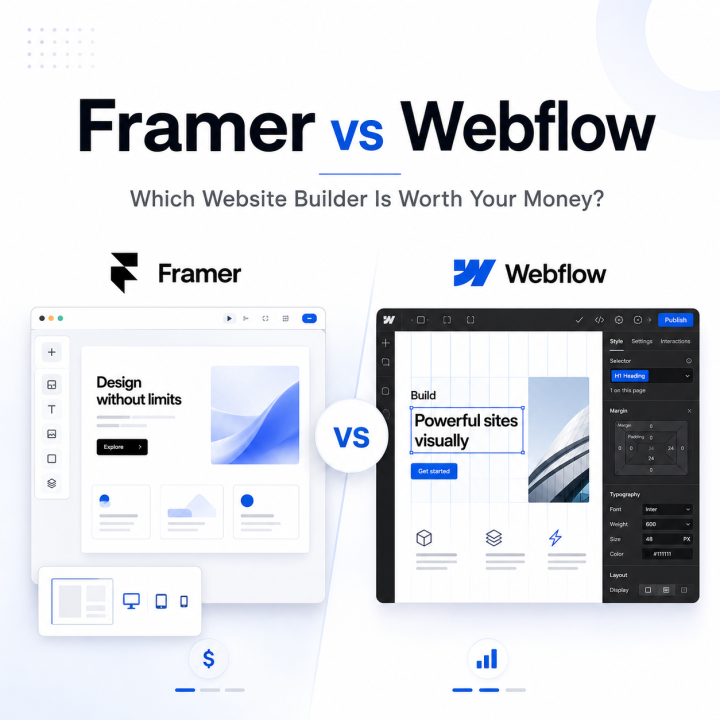
Framer vs Webflow comparison for choosing the best website builder for your budget

A clean visual comparison of Framer and Webflow for buyers deciding which website builder is worth the money.

May 9, 2026

Framer vs Webflow: Which Website Builder Is Worth Your Money?


Read more
Zapier vs Make 2026 automation platform comparison with workflow interface and connected scenario diagram.

A clean visual comparison of Zapier and Make for teams evaluating automation platforms in 2026.

May 6, 2026

Zapier vs Make (2026): The Honest Automation Platform Comparison


Read more
Notion vs. Confluence comparison graphic showing two knowledge base tools for teams

A clean comparison image for the article “Notion vs. Confluence: Which Knowledge Base Tool Is Worth Your Team’s Time?”

May 6, 2026

Notion vs. Confluence: Which Knowledge Base Tool Is Worth Your Team’s Time?


Read more
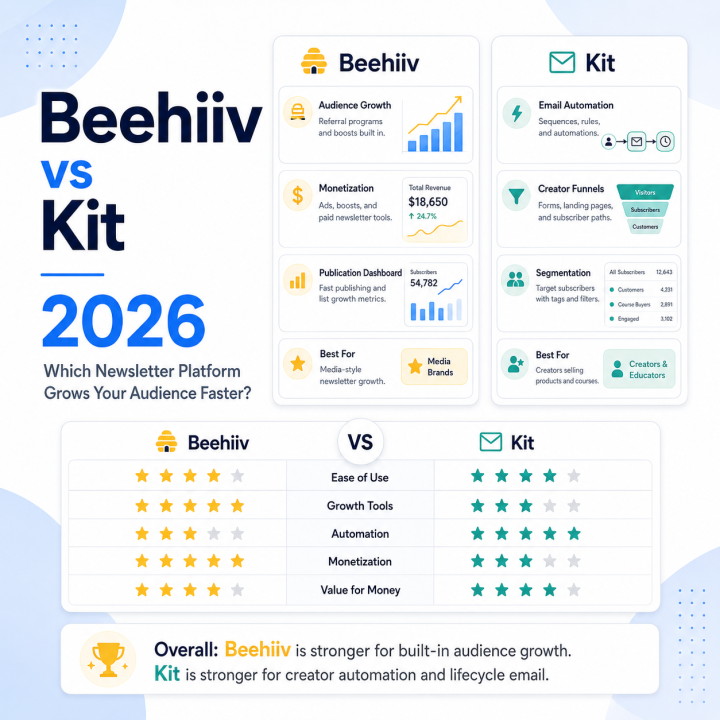
Beehiiv vs Kit 2026 comparison with newsletter platform features, growth tools, automation, and audience-building metrics

A clean comparison featured image for Beehiiv vs Kit in 2026, highlighting newsletter growth tools, automation features, monetization options, and audience-building strengths.

May 6, 2026

beehiiv vs Kit (2026): Which Newsletter Platform Grows Your Audience Faster?


Read more
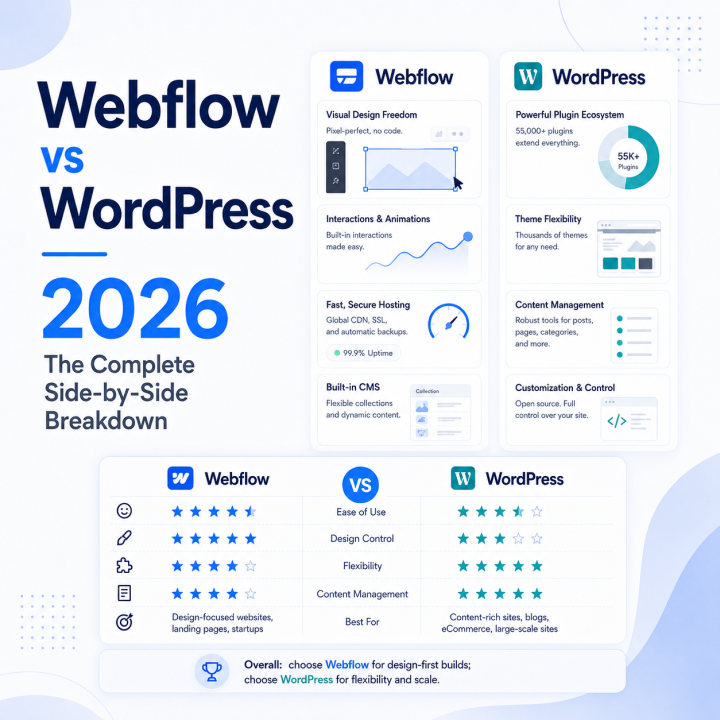
Webflow vs WordPress 2026 comparison with side-by-side features, ratings, and platform breakdown

A clean comparison featured image for Webflow vs WordPress in 2026, showing side-by-side platform strengths, feature differences, and ideal use cases.

May 6, 2026

Webflow vs WordPress (2026): The Complete Side-by-Side Breakdown


Read more
Ahrefs vs SEMrush 2026 comparison with SEO tool dashboards, feature ratings, and performance metrics

A clean comparison featured image for Ahrefs vs SEMrush in 2026, highlighting SEO dashboards, ranking factors, feature comparisons, and tool strengths.

May 6, 2026

Ahrefs vs SEMrush (2026): Which SEO Tool Actually Wins?


Read more
Klaviyo vs Mailchimp 2026 comparison for ecommerce email marketing platforms

Side-by-side comparison of Klaviyo and Mailchimp for ecommerce email marketing in 2026

April 26, 2026

Klaviyo vs Mailchimp 2026: Which Email Platform Actually Wins for E-commerce


Read more
ActiveCampaign vs HubSpot 2026 comparison for B2B marketing automation buyers

A simple comparison graphic for ActiveCampaign vs HubSpot in 2026.

April 26, 2026

ActiveCampaign vs HubSpot 2026: Which Marketing Automation Platform Wins for B2B Buyers


Read more
Semstage logo

Semstage publishes tool reviews, software comparisons, buyer-focused guides, and curated deals for marketers, founders, and operators who want to choose better software with less noise.

  • Reviews
  • Comparisons
  • Deals

Explore

  • Reviews
  • Comparisons
  • Best Tools
  • Deals
  • Categories

Company

  • About
  • How We Review
  • Editorial Policy
  • Affiliate Disclosure
  • Contact

© 2026 Semstage. All rights reserved.

Privacy Policy Terms
      • Consent
      • Details
      • About Cookies

      This website uses cookies

      We use cookies to personalise content and ads, to provide social media features and to analyse our traffic. We also share information about your use of our site with our social media, advertising and analytics partners who may combine it with other information that you’ve provided to them or that they’ve collected from your use of their services.

      Necessary

      Necessary cookies help make a website usable by enabling basic functions like page navigation and access to secure areas of the website. The website cannot function properly without these cookies.

      Analytics & Performance

      Statistic cookies help website owners to understand how visitors interact with websites by collecting and reporting information anonymously.

      Marketing

      Marketing cookies are used to track visitors across websites. The intention is to display ads that are relevant and engaging for the individual user and thereby more valuable for publishers and third party advertisers.

      Cookies are small text files that can be used by websites to make a user's experience more efficient.

      The law states that we can store cookies on your device if they are strictly necessary for the operation of this site. For all other types of cookies we need your permission. This means that cookies which are categorized as necessary, are processed based on GDPR Art. 6 (1) (f). All other cookies, meaning those from the categories preferences and marketing, are processed based on GDPR Art. 6 (1) (a) GDPR.

      This site uses different types of cookies. Some cookies are placed by third party services that appear on our pages.

      You can at any time change or withdraw your consent from the Cookie Declaration on our website.

      Learn more about who we are, how you can contact us and how we process personal data in our Privacy Policy.

      Please state your consent ID and date when you contact us regarding your consent.

      Deny Customize Allow selected Allow all